Elegant workspace featuring a laptop and corkboard with a person typing, perfect for productivity themes.

The Open Session directory, Job Board, and Event calendar can be located under ‘Resources’ in the right sidebar menu on computer devices. For mobile devices, the main menu can be found by clicking the two horizontal lines in the header/banner menu. This will open the menu from the left. Scroll down to the bottom of this menu and select ‘Resources’. There will be a drop-down sub menu showing the Resource Directory where you will find the open session directory, job board, and event calendar. Please note that your access to each of these resources is dependent on your membership level. If you do not see the above menu after logging into your account, this means your membership level does not permit it and you will need to upgrade to access these features.
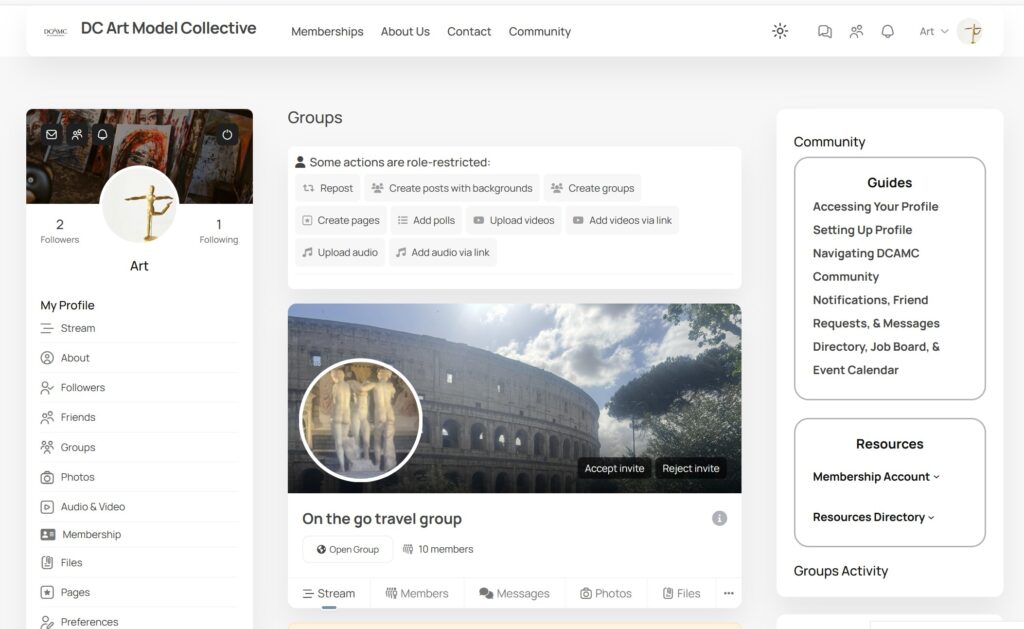
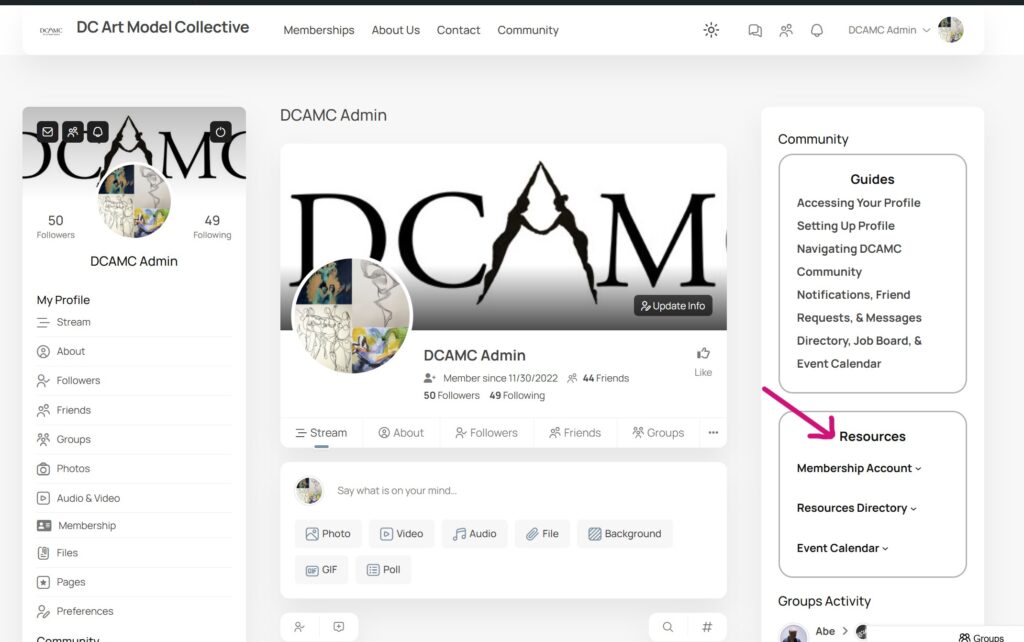
For computer devices, this is the page you will see for accessing the Directories. Hover over the menu or the arrow next to it to see the drop-down menu options. Note the example above does not have a Premium membership so all directory options are not showing/accessible.
Note that Job Board and Open Session directory will show for the above example because they have an active Premium membership. The Event Calendar is also accessible as well.
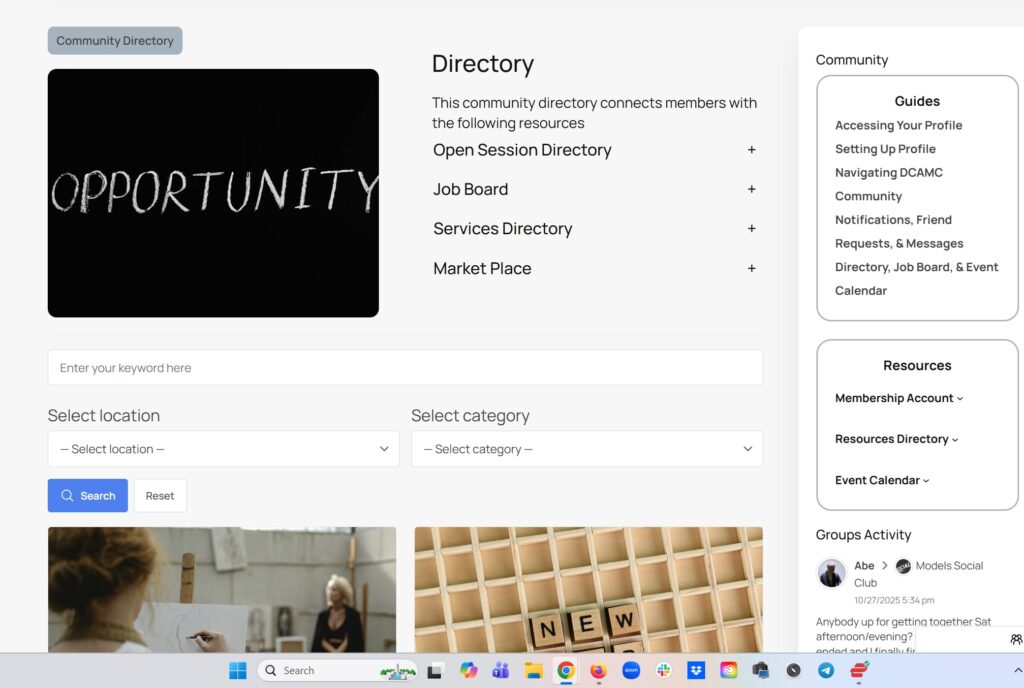
Directory Listings are here. You can search by category, state, etc. Note that the Open Session Directory and Job Board can be accessed from this screen.
Mobile view of directories once you scroll down the page.

Posting to the Open Session Directory, Job Board, Market, and Service Directory

 After you navigate to the directory option you seek, you can access My Directory to  post, edit, or view listings you have made to the directory.  *Premium membership is required to view and post to all the directories.*
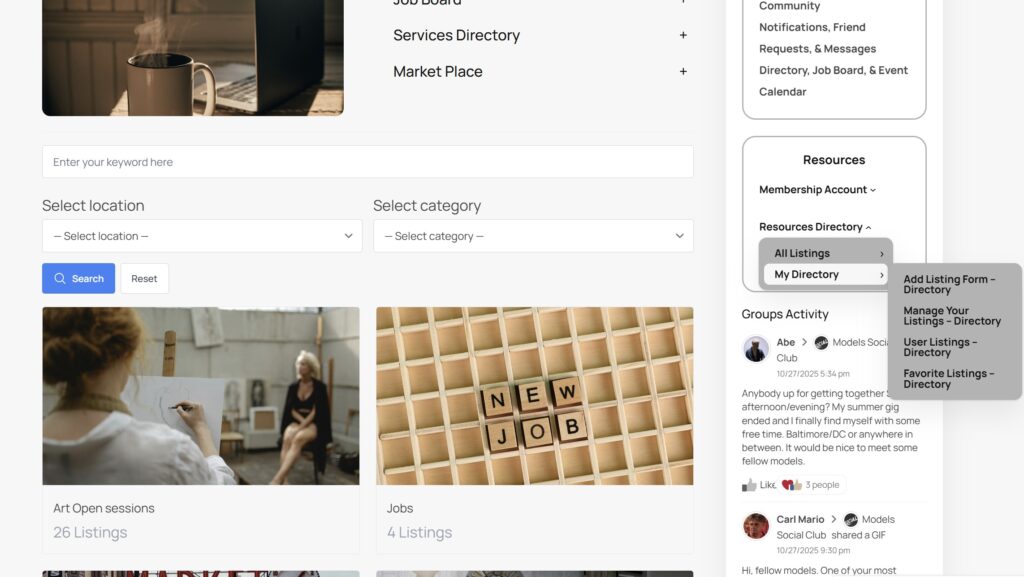
On Computer devices, from the ‘Resource Directory’ page select any of the directories shown above.
Once you select a directory from the main list you will be taken to that directory main page. In the right hand panel you will see the ‘My Directory’ menu. Here you will find your ‘User Dashboard’, ‘Search Listings’, and ‘All Listing Locations. This menu and options is currently not available on mobile devices
From your user dashboard you will be able to add a new listing to any directory, manage/edit any listing you have posted, or favorite listings to save them.
Select ‘Search listings’ to go to the main directory page to search all directory listings by category, location, or key words.